
Access that moves at the speed of a click.
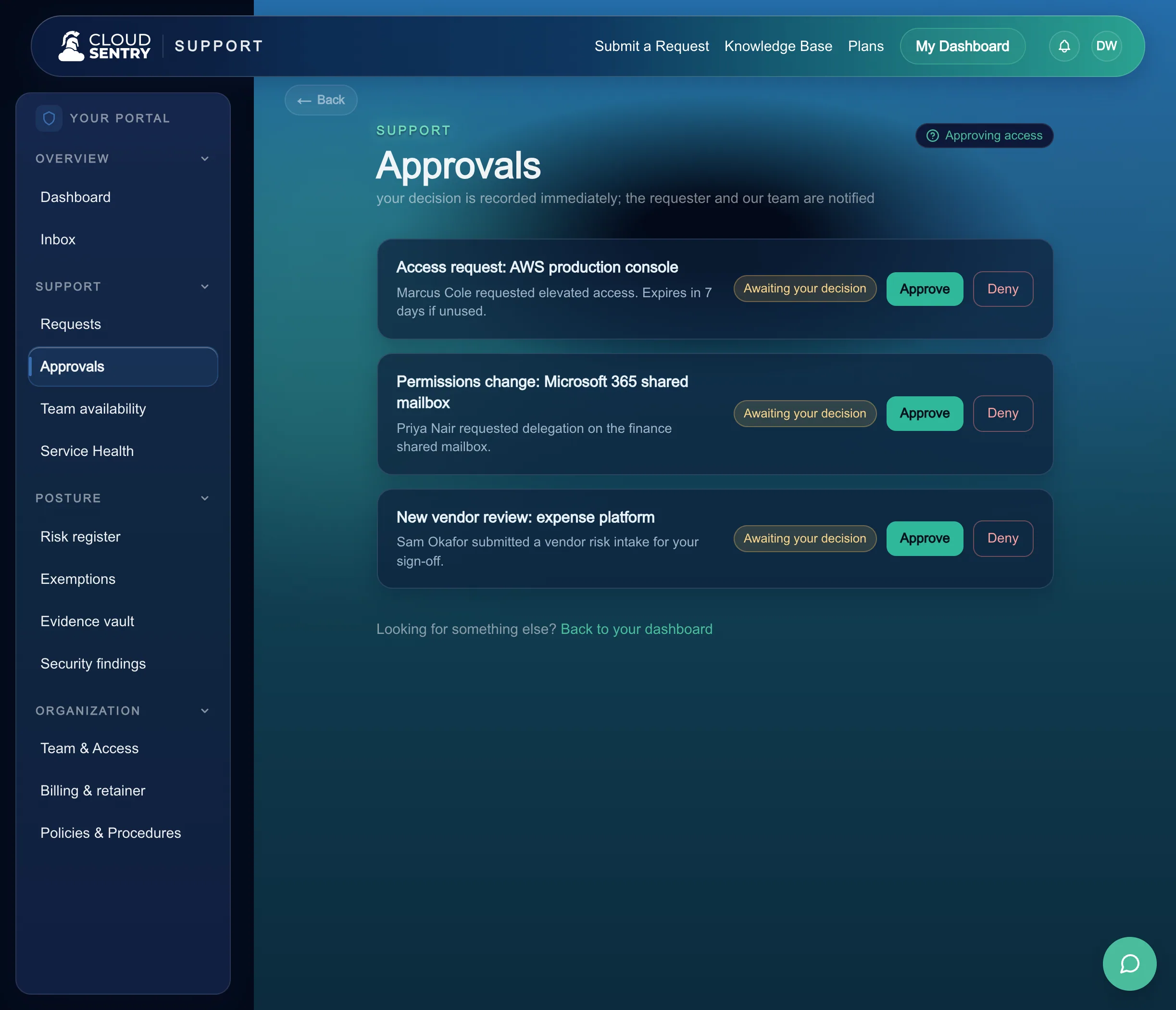
The request
Anyone can ask. It routes to the people you chose.
A request for access starts the same way every other request does: one front door, plain language, and a form that reads like a sentence. From there it goes to the people you named as approvers, who see it straight away.
The system owner
Whoever owns the tool or the data being asked for. They know whether the access makes sense for the job.
The security admin
A second set of eyes for the access that carries more weight, so a sensitive grant always rests on two people.
Composable for small teams
One person can hold both roles when that is your reality. You choose who approves; the rails are the same whether it is two people or ten.
The decision
Approve or deny from a link. One tap to say yes.
Approvers get a message with a secure, single-use link. They open it, read what is being asked and why, and decide. Nothing to install, no account to create, no password to remember before they can answer.
A token-gated link
The link carries a short-lived token scoped to that one request. An approver decides in the moment, on whatever device is in their hand.
Multi-party requests roll up
When a request needs more than one approver, everyone sees the same request and their decisions fan in. You watch the count fill toward the yes it needs.
A single denial stops it cold
If any required approver declines, the request ends there. The grant stays whole or stops entirely, and the person who asked gets a clear answer.
The execution
Approval is a decision. Someone still has to do the work.
This is where a workflow tool hands you a green checkmark and walks away. A yes is a decision; the account still has to be created. When an access request is approved on the platform, a provisioning ticket goes to our operators, and they do the work: create the account, set the scope, and close the loop back to you.
The request clears
Every required approver has said yes. The decision is recorded with who approved it and when, so there is a real trail behind the access.
A provisioning ticket opens
The approved request becomes a task for our operators, scoped to exactly what was asked and approved. Nothing broader gets granted by accident.
An operator grants it
A real person provisions the access in the system it belongs to, with the least privilege the job needs, and marks the work done.
You see it close
The request moves to done in the portal, the person who asked can get to work, and the record stays with the rest of your audit trail.
Joiners, movers, leavers
The same rails run onboarding and offboarding.
Granting access to a new hire, changing it when someone moves teams, and removing it when someone leaves are the same shape of work. They run on the request-and-approval rails you already have, so a departure closes out cleanly and every account goes with it.
A new hire starts ready
The access a role needs is requested and approved before day one, so a new person can get to work on day one.
- Request the standard access for the role up front
- Route it to the same approvers, on the same rails
- Our operators provision it so it is live when they arrive
A change keeps access honest
When someone moves teams, access changes with them. The new access is requested and approved, and the access the old role no longer needs comes off.
- Add what the new role needs, on approval
- Remove what the old role no longer justifies
- One record shows what changed and who approved it
A departure closes out fully
When someone leaves, their access is removed as tracked work, so every account closes with them.
- Offboarding opens as tracked work
- Access is removed across the systems it touched
- You can see it closed, with a record that it was
Step away with cover in place
Mark yourself away and requests route around you.
Approvals keep moving when one person is out. Anyone who approves can mark themselves away, and requests route to whoever is covering. Work continues while you are on a plane or on leave.
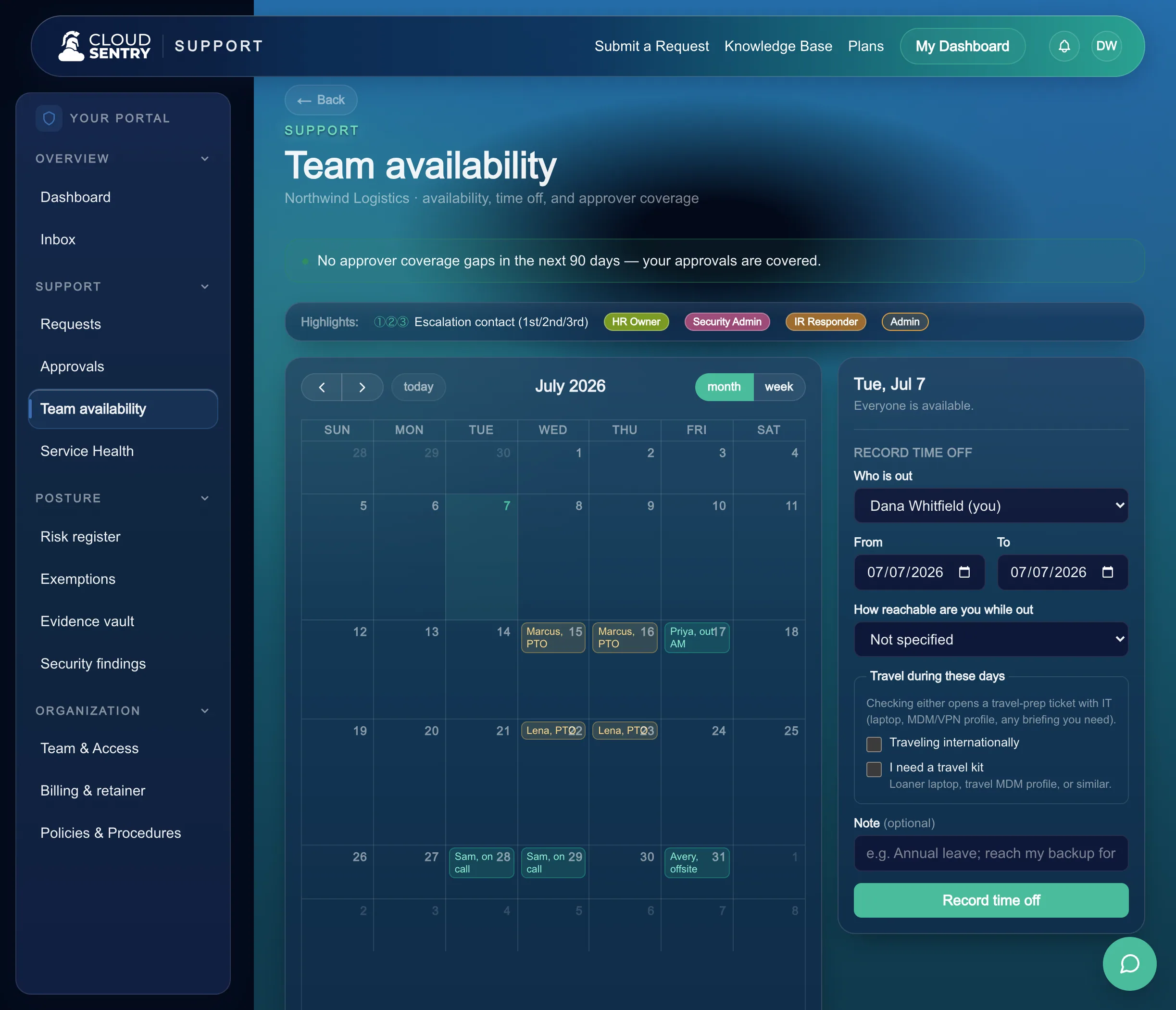
Set yourself away; requests route to whoever is covering.
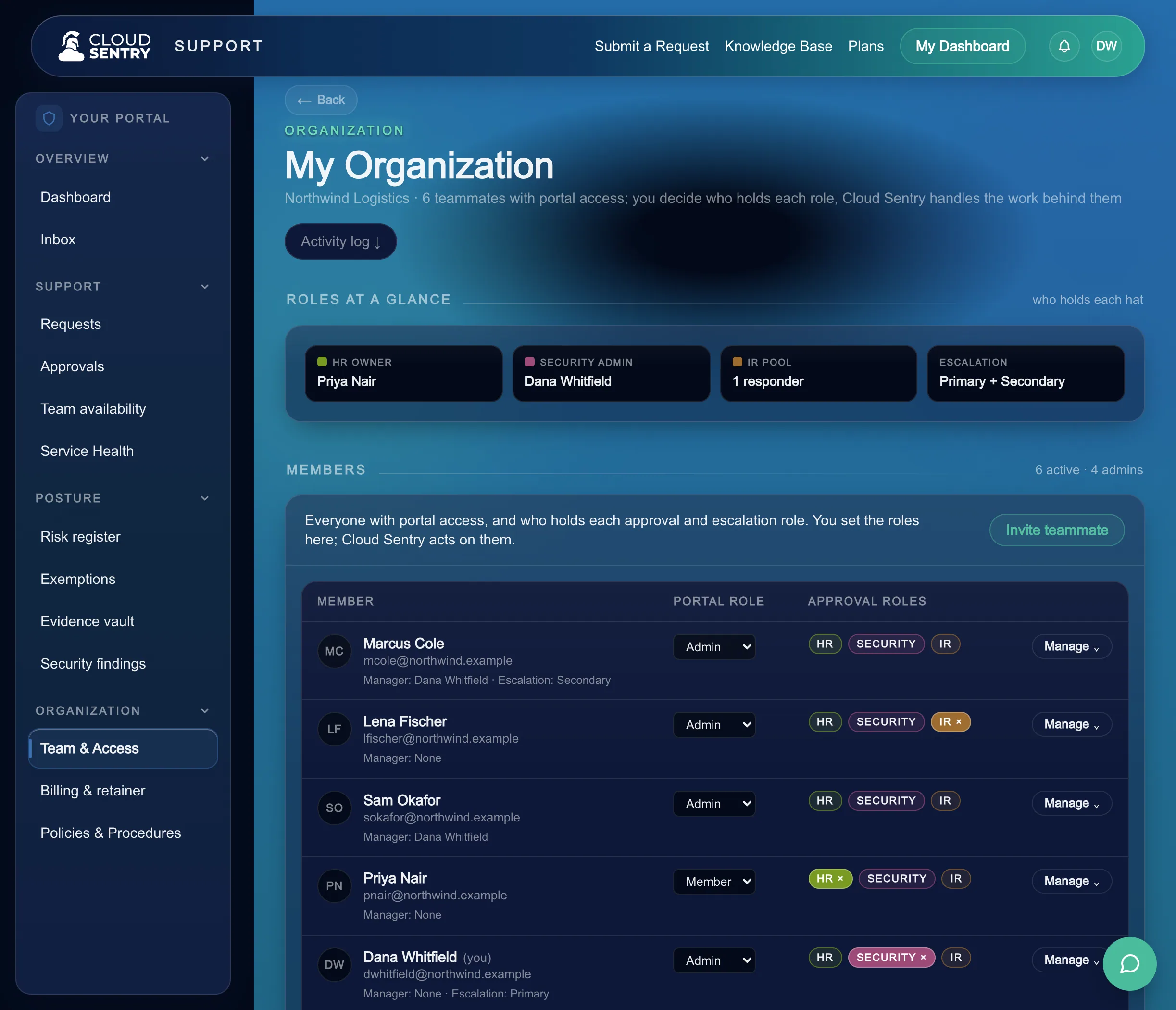
Your team, your approvers, your call
The team console is where you name approvers, set who covers for whom, and adjust them as your org changes. You hold the roles; we run the work behind them.
The team console: choose who approves, and the roles they approve with.
The team inside
The people who run this with you.
Named operators, reachable in the portal, answering you directly.

Juston Eubanks
Junior Cloud Operations Specialist

Jason Bowen
Cloud Operations Specialist

Ken Hanson
Founder & CEO

John May
Fractional CIO & Advisor

Emil Diaz
Fractional CTO
Access that arrives fast and closes out clean.
See how requests, approvals, and the joiner-mover-leaver lifecycle run on one set of rails, with our operators doing the provisioning behind them.
Walk through how access requests route to your approvers, clear in a click, and get provisioned by our operators, mapped to your team.
Access requests are one front door among many. See how the rest of your cloud, IT, and security run in the same place.